
Managed IT services / IT support
Support that
answers.
A managed helpdesk that picks up the phone, opens the ticket and resolves it, with clear SLAs and remote and on-site support. And, above all, someone watching your systems to get ahead of failures. Fewer waits, fewer fires, more continuity.
What it is
Real support, not a
number to call.
Managed IT support is not the number you call once something has already broken. It is a continuous service that combines three things: a helpdesk that handles and resolves your incidents, monitoring that watches your systems to get ahead of failures, andSLAs — service-level agreements — that put in writing how quickly we respond depending on severity.
The difference from the “call when something breaks” model is huge. In the reactive approach, the problem has already cost you time and work by the time you pick up the phone, and nobody knows whether you will be attended to in ten minutes or in two days. In the managed model, many incidents are resolved — or avoided — before you even notice them, every request enters a system with a priority and a clock, and you know exactly what to expect. It is part of our managed IT services: fewer fires, more continuity.
Problems it solves
What happens when
there is no one behind it.
Tickets that never get resolved
A problem is reported, someone says they will “look into it”, and there it stays. Without a system that assigns, prioritises and drops nothing, tickets get lost between emails and good intentions.
Waits that never end
People lose half a morning waiting for someone to answer. Without committed response times, every fault is a lottery: it might be solved in ten minutes or in two days.
Nobody on call
Email goes down on a Friday afternoon or the server fails in August, and there is no one to call. When support depends on one specific person being available, sooner or later they are not.
The same problems, over and over
The same printer, the same error, the same user locked out every week. The fire gets put out but the cause is never found, so the blaze always comes back.
Users blocked and unable to work
An employee with no access, no device or no email is an employee at a standstill. Every minute of waiting is work that does not get done, and the frustration spreads across the office.
No inventory, no control
Nobody knows how many devices there are, who uses what, with which licences or since when. Without an inventory or a record of what happens, every query turns into an investigation from scratch.
What it includes
Everything you need,
in a single service.
You can take on the whole thing or just the part you need to reinforce. This is what CPPA's managed support covers:
- Multichannel helpdesk (phone, email, portal, chat)
- Remote and on-site support
- Incident management with SLAs
- Proactive systems monitoring
- Device and endpoint management
- User onboarding and offboarding
- Knowledge base and documentation
- Device and licence inventory
Support levels and SLAs
Every incident,
with its own clock.
Not everything is equally urgent, so not everything waits the same. We classify each incident by priority and assign it a target response time:
| Type of incident | Priority | Target response time |
|---|---|---|
| Full outage or critical service down | Critical (P1) | Response within 30 min · continuous work until resolved |
| Affects a team or several people | High (P2) | Response within 1 hour |
| A single user blocked at work | Medium (P3) | Response within 4 business hours |
| A question or request that does not block | Low (P4) | Response within 1 business day |
| User onboarding/offboarding or planned change | Service request | Scheduled to an agreed timetable |
The times shown are indicative examples. The final SLAs are agreed by contract based on your operation and your tolerance for downtime.
The core idea
The best support fixes it before you even ask.
Benefits and outcomes
What you gain from
support that gets ahead.
Fast resolution
Incidents handled with a priority and committed times. Most are resolved remotely in minutes, not days.
Less time lost
Your people stop moonlighting as part-time IT and waiting without knowing who to turn to. They get back to their work sooner.
Predictable cost
A clear fee per user or device. No hourly invoices that penalise asking for help and no month-end surprises.
Proactivity
Monitoring detects and fixes many problems before they reach you. The best incidents are the ones that never happen.
A single point of contact
One door for everything IT — devices, email, software, vendors. Nobody passes the buck between them.
Continuity
The service does not depend on one person being in that day. There is a team, procedures and everything documented.
How we work
Close to you, with
method and tools.
Proximity is part of the service: a team that knows your operation, speaks your language and responds as if it were in the office next door. The tools organise the work; the people resolve it.
The CPPA methodology
From firefighting to a
service that prevents.
Onboarding and setup
We build the inventory of devices, users and applications, gather the access details and define the service catalogue and the channels you will use to raise tickets. We document what exists before we start operating.
Monitoring and prevention
We monitor the critical points — devices, email, servers, backups — to catch and fix problems before they reach you. Most of the incidents we prevent, you never even see.
Response and resolution with SLA
Every ticket enters the system with a priority and a clock. We respond, resolve and keep you informed; if a case stalls, it escalates to a higher tier before the agreement is breached.
Continuous improvement
We review what happened, tackle recurring problems at the root and send you reports with what was resolved, the times and the recommendations. The service improves month by month instead of repeating the same fires.
Examples
How it looks
in practice.
Onboarding a new employee
- Request from HR
- Device and profile preparation
- Email, access and application setup
- Handover and configuration
- First contact and quick guide
- Registration in the inventory
A device breaks down
- User reports the fault
- Immediate remote diagnosis
- Repair or replacement device
- Data and access restored
- Sign-off with the user
- Note in the knowledge base
Email has gone down
- Monitoring alert or report
- Classified as critical (P1)
- Diagnosis and contact with the provider
- Service restored
- Communication to those affected
- Root-cause and prevention report
A recurring problem, fixed at the root
- The repeated pattern is spotted
- Analysis of the real cause
- A fix at the source, not the symptom
- Verification over a few days
- The solution is documented
- The ticket stops coming back
Risks and mitigation
What we watch
so it doesn't happen.
Handing over support raises legitimate doubts. These are the ones we hear most and how we handle them:
Depending on an external provider
The fear of support becoming a black box is legitimate. That is why we document everything — inventory, access, procedures — and plan for handover: if one day you leave, you take the knowledge with you, not a problem.
An SLA that is not met
Promising times and failing to keep them is worse than promising nothing. Every ticket enters with a priority and a clock; if a case stalls, it escalates automatically to a higher tier before the agreement is breached.
Sensitive data in outside hands
Granting access to your systems requires trust. We work with least privilege, named and auditable access, and data handling in line with the GDPR, with the confidentiality and processing agreements signed.
Spikes that overwhelm support
A migration, a security incident or the first Monday back from holidays sends tickets soaring. We size the team to absorb the spikes and prioritise by impact, so the critical does not wait behind the trivial.
Frequently asked questions
What is managed IT support?
Is support remote or on-site?
What SLAs do you offer?
Do you replace my IT department?
How much does managed support cost?
How do I raise a ticket?
Related services
Keep exploring.
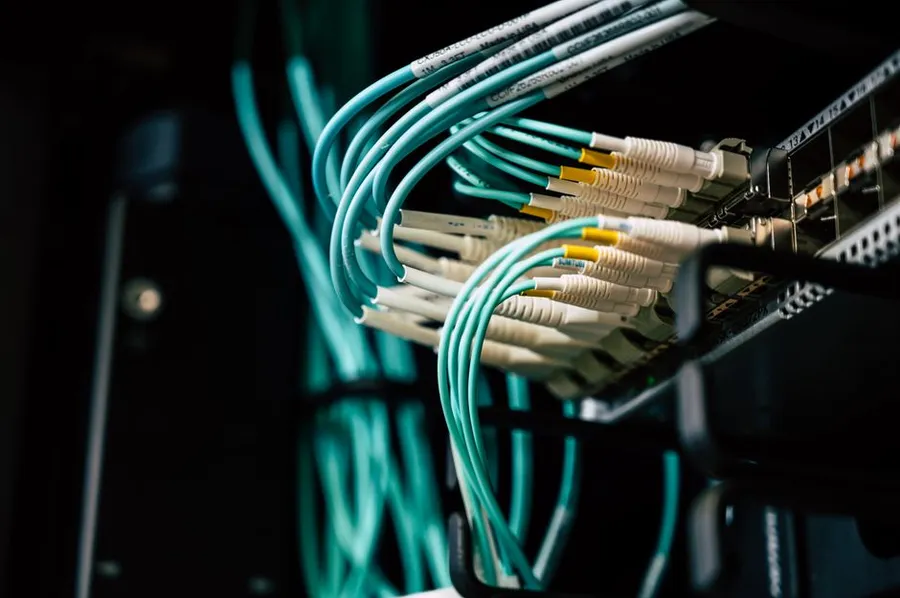
IT infrastructure
Support attends to what the infrastructure holds up: servers, networks and systems designed, monitored and maintained so nothing runs on luck.
View →
Cybersecurity
Many incidents are, at heart, a matter of security. Layered protection keeps a small problem from turning into a crisis.
View →
Backup & disaster recovery
When support is not enough and something is lost, automated backups and a tested recovery plan are the net that brings you back to normal.
View →Who answers when something breaks?
Request a proposal →Want to see how we think about a connected, end-to-end system? Read ourCPPA X-RAY on 100 Montaditos.